Google Sheets Integration
This page explains how to connect Antpocket with Google Sheets. Initial setup can take a little time, but once it's done, it's quick and easy to use going forward.
What you can do with Google Sheets
You can look up Antpocket products from Google Sheets. You can look up Antpocket stock status (quantity by product and by warehouse) from Google Sheets.
Getting an API key
To connect with Google Sheets, you first need your space's API key. Get an API key from Antpocket's Members & Permissions page. The full procedure is described in Connecting with an API Key.
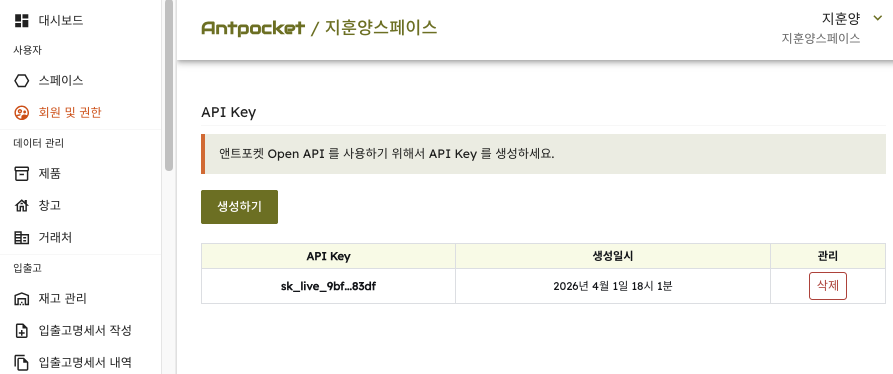
Connecting Google Sheets
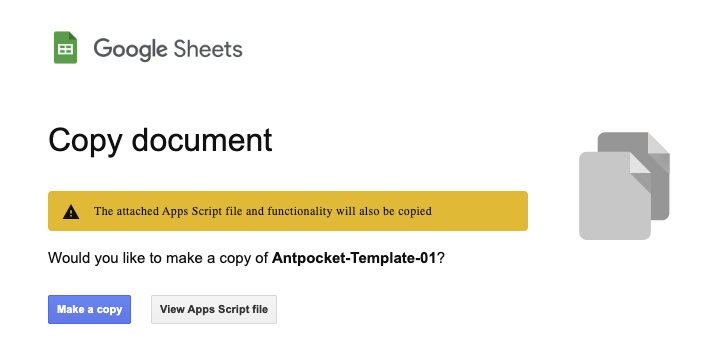
Click the "Copy Antpocket Template" link below to copy the Google Sheets template. Copy Antpocket Template It will then be saved to your own Google account's cloud storage. If the screen below appears while copying, click "Make a copy."
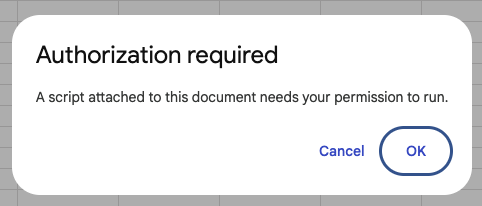
The integration requires Google Sheets' Apps Script feature. If a permission request for this feature appears as shown below, click 'OK.'
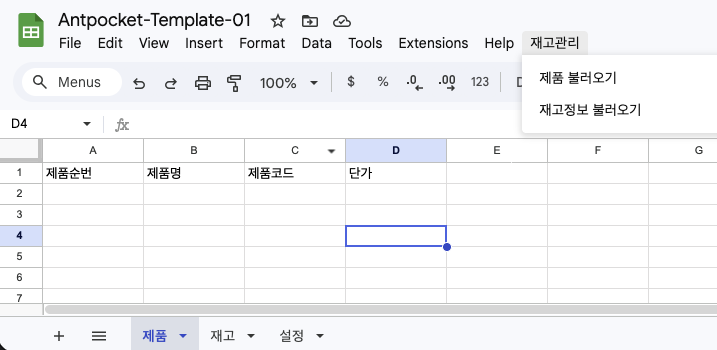
Once the copy finishes, you'll see a sheet made up of three tabs: "Products," "Inventory," and "Settings."
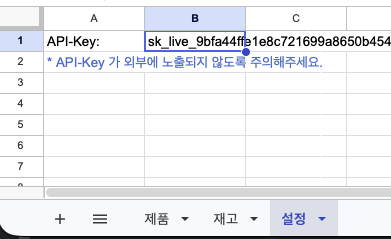
Paste the API key you obtained earlier into cell B1 of the Settings tab.
Letting Google Sheets trust Antpocket
From the top menu in Google Sheets, select "Inventory Management" → "Load Products." The first time you run this, a popup will appear asking whether Google Sheets should trust the Antpocket app, as shown below. Click "Advanced."
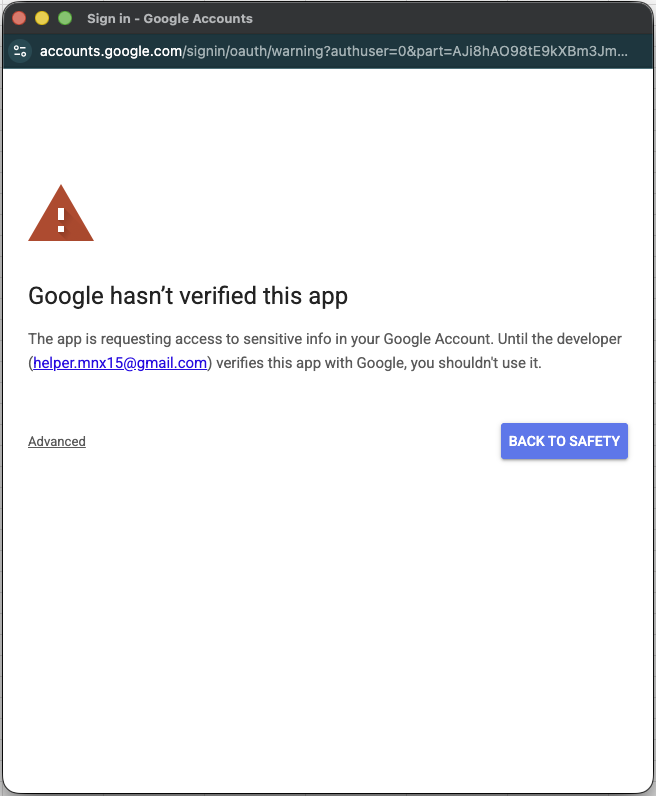
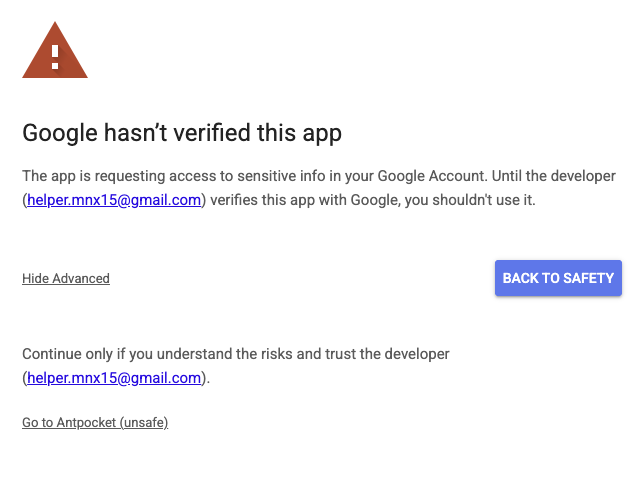
In the next popup, click "Go to Antpocket."
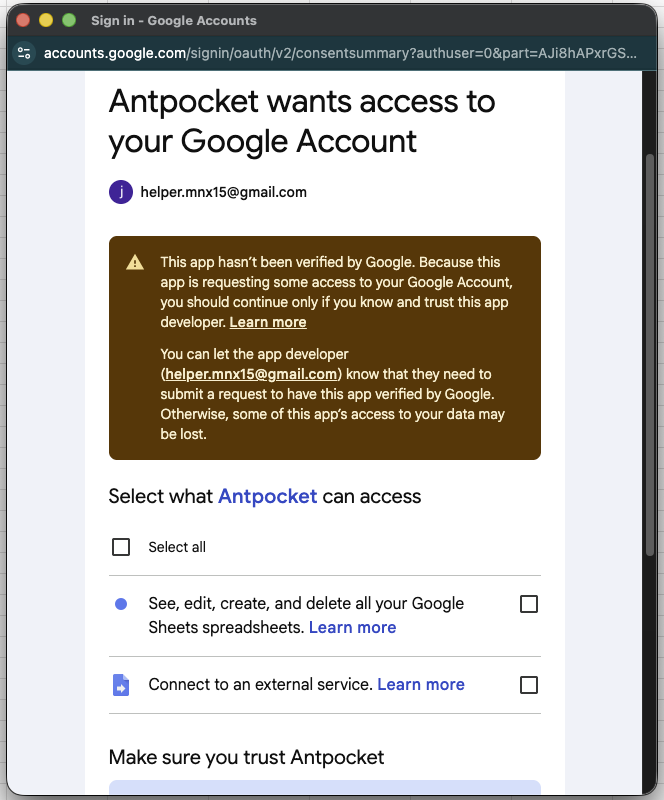
If a list of permissions to agree to appears in the next popup, agree to all of them and click confirm.
Importing products
From the top menu in Google Sheets, select "Inventory Management" → "Load Products."
Now that Google Sheets trusts Antpocket, it can pull in data. You'll see every product in your space listed on the "Products" tab.
Importing stock status
From the top menu in Google Sheets, select "Inventory Management" → "Load Stock Status." You can check stock quantities by warehouse and by product on the "Inventory" tab.
If the integration isn't working properly, please contact Antpocket below.