Connecting a Coupang Seller Account
This page explains how to connect a Coupang seller account to Antpocket. To connect Coupang, you'll need an "OPEN API key," which you can issue from your Coupang seller account.
Getting an OPEN API key from Coupang
-
Go to Coupang Wing. Go to Coupang Wing
-
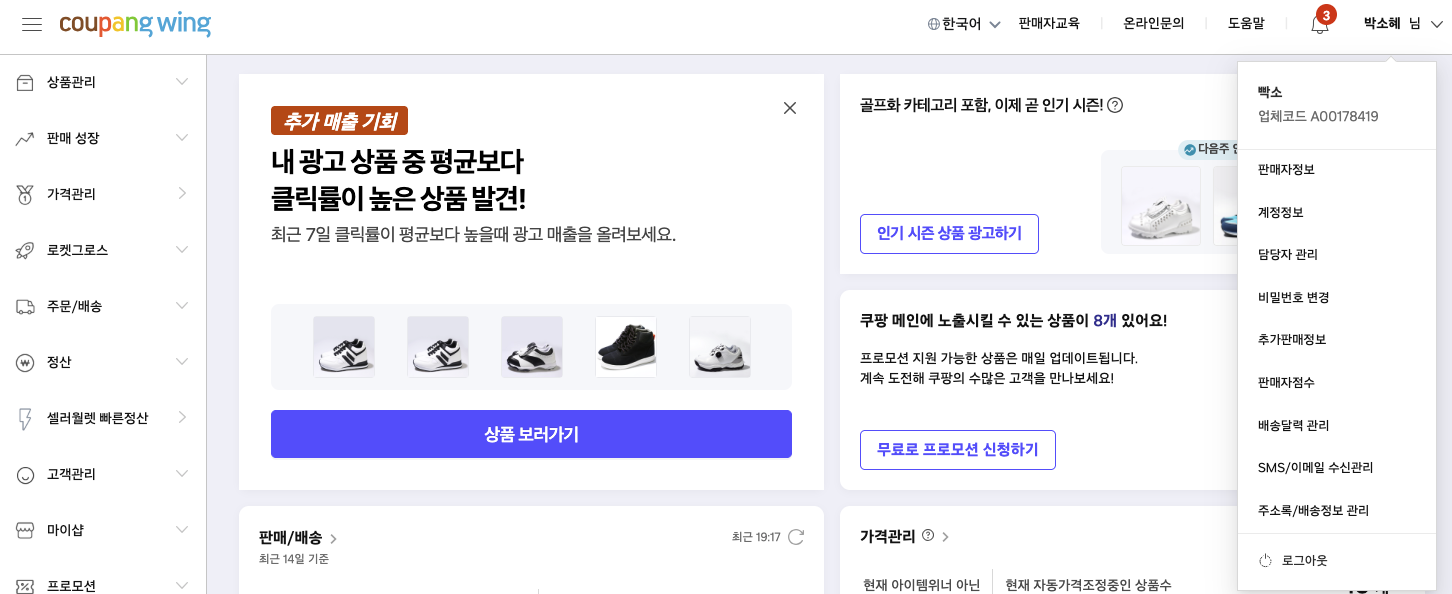
After logging in, you'll see the dashboard. Click the menu showing your nickname in the top right to open the dropdown submenu.
-
Click "Additional Seller Info" in the dropdown submenu. If verification is required, complete the verification steps.
-
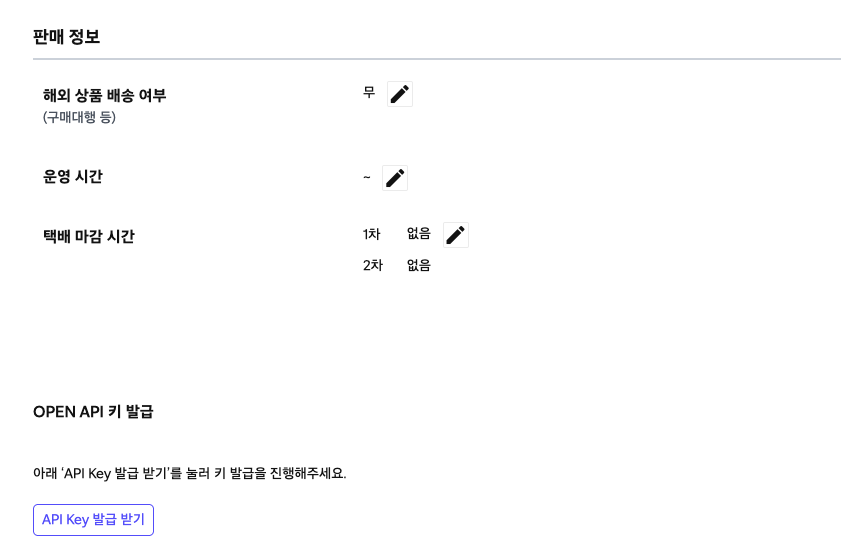
You'll be taken to the Additional Seller Info page. There's an "Issue OPEN API Key" section at the bottom of the page.
-
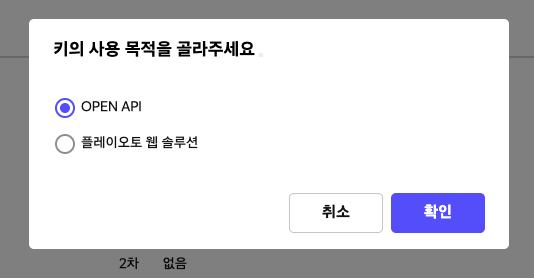
Click the "Get API Key" button. A popup for the key's intended use will appear — select "OPEN API." Agree to the terms.
-
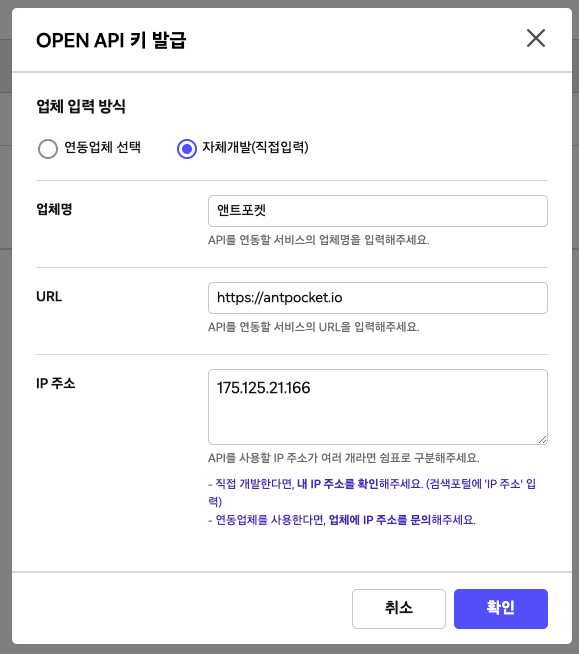
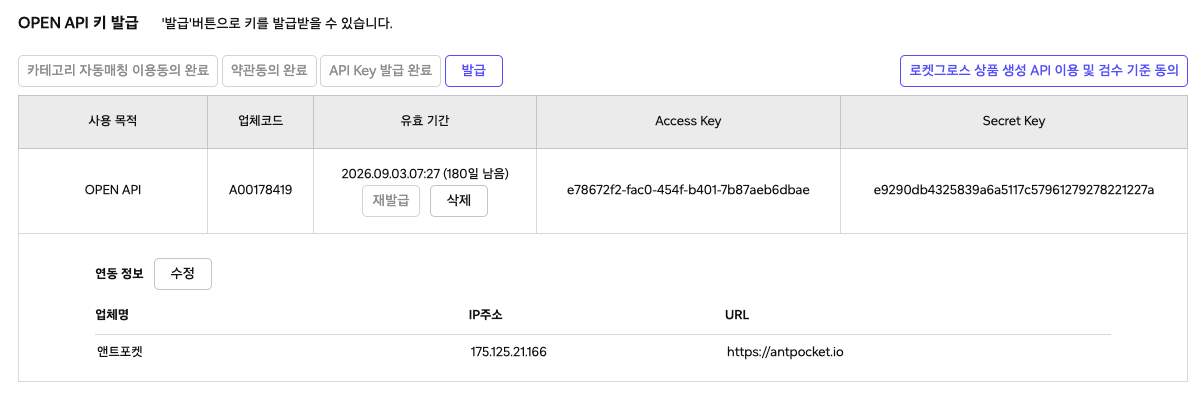
On the next step, enter the following exactly as shown: Vendor input method: Self-developed (manual entry) Vendor name: Antpocket URL: https://antpocket.io IP address: 175.125.21.166
-
Clicking the confirm button shows you the issued "OPEN API key" info. The three values (Vendor ID, Access Key, Secret Key) are what Antpocket needs to connect your Coupang account.
Connecting your Coupang seller account in Antpocket
-
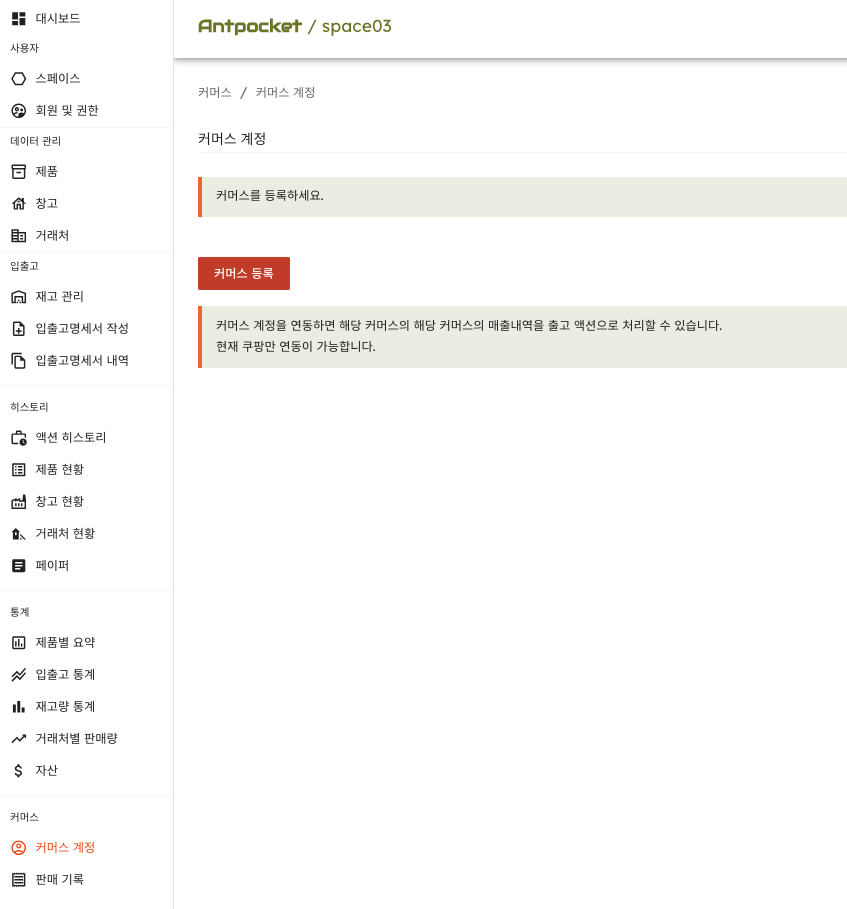
Go to Antpocket. Click the "Commerce Accounts" menu at the very bottom of the left menu.
-
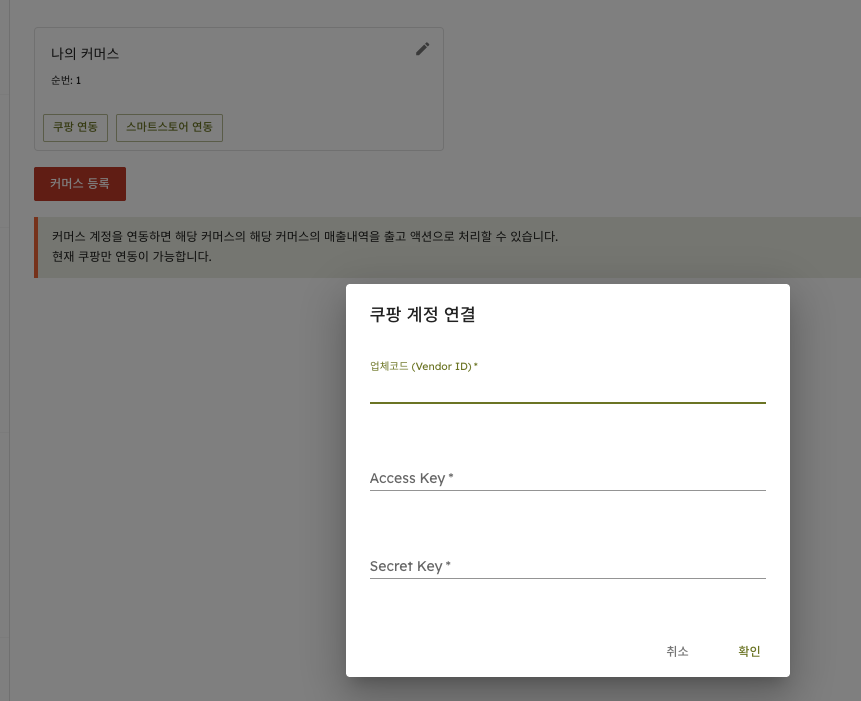
Click "Register Commerce" to create a commerce entry. Click the "Connect Coupang" button shown on the newly created commerce entry. A Coupang account connection popup appears. Enter the Vendor ID, Access Key, and Secret Key you obtained from Coupang Wing exactly as shown, then submit.
-
Your Coupang seller account is now connected.
If the integration isn't working properly, please contact Antpocket below.